Home / Use cases / Thank every donor before the week is out
Use case · giving
Thanking every donor before the week is out
Updated October 2026
Record the gift once. Ember keeps a running list of everyone who has not been thanked yet, oldest first, with the draft already written. Here is how a 65-donor nonprofit keeps that list empty, with a check every Friday.
The problem, in your words
Forty gifts came in over the year-end push. Nine got a thank-you the same week. The rest are in a spreadsheet with a column called "sent?" that stopped being true in January. One of them was a first-time $1,000 gift. Nobody knows which ones were missed.
You are not ungrateful. You are tracking thank-yous in a spreadsheet that has no idea who is still waiting. The fix is a list that does.
Record each gift once, with the donor's name on it. Ember then keeps a running list of everyone who has not been thanked yet, oldest first. Open a name and a draft is already written, and it knows whether the gift was cash or a pallet of soup. Send it from your own email. Mark it thanked. The list empties, and the donors who have stopped giving get a list of their own.
The org in this example
Established band ($100K to $500K a year)
An invented example, sized like the orgs Ember is built for. Not a customer.
The walkthrough
Record the gift where the money is
Every gift goes into Ember Budget as money coming in. You enter the amount, the date, who gave it, and whether the donor said it has to go to a particular program. A donated chest freezer goes in the same way, as an in-kind gift, with what it is and what it is worth to you. That one entry is all the typing there is.
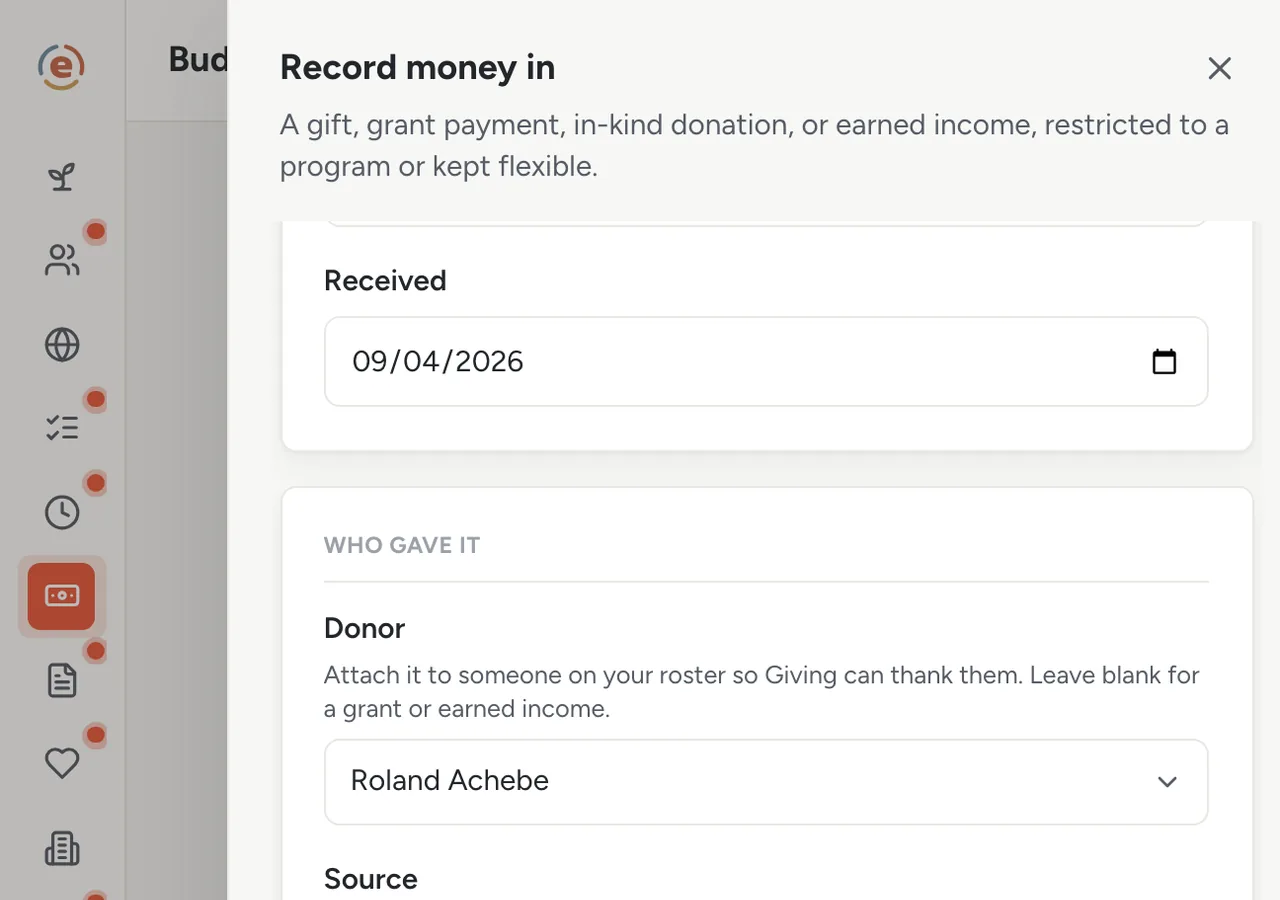
One entry per gift. The thank-you list is built from these. Demo data. Ember keeps track of who is still waiting
Ember Giving opens on a panel called Needs a thank-you. It lists every gift that has a donor's name on it and no thank-you recorded yet, oldest first. Five people are waiting; the first-time $1,000 gift is at the top, nine days old. Old gifts you imported from another system never show up here, so nobody gets thanked twice for something from last year.
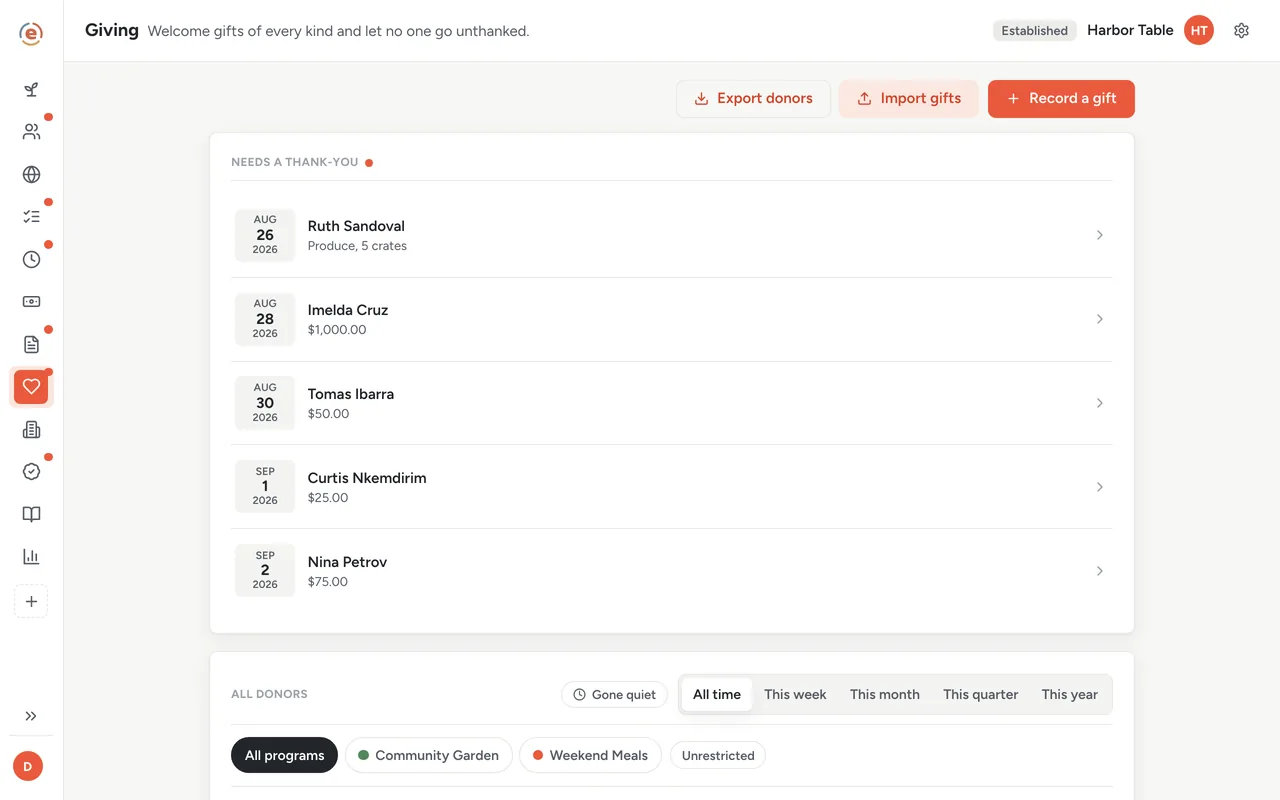
Five people waiting. The oldest is at the top. Demo data. A draft that knows the gift
Open the top row and a draft is already written. For a cash gift it states the amount. For the freezer it names the item and gives no dollar figure, which is what the tax rules require of you. Tap Write it in Gmail and your own email opens with the message filled in. Change a line so it sounds like you, and send.
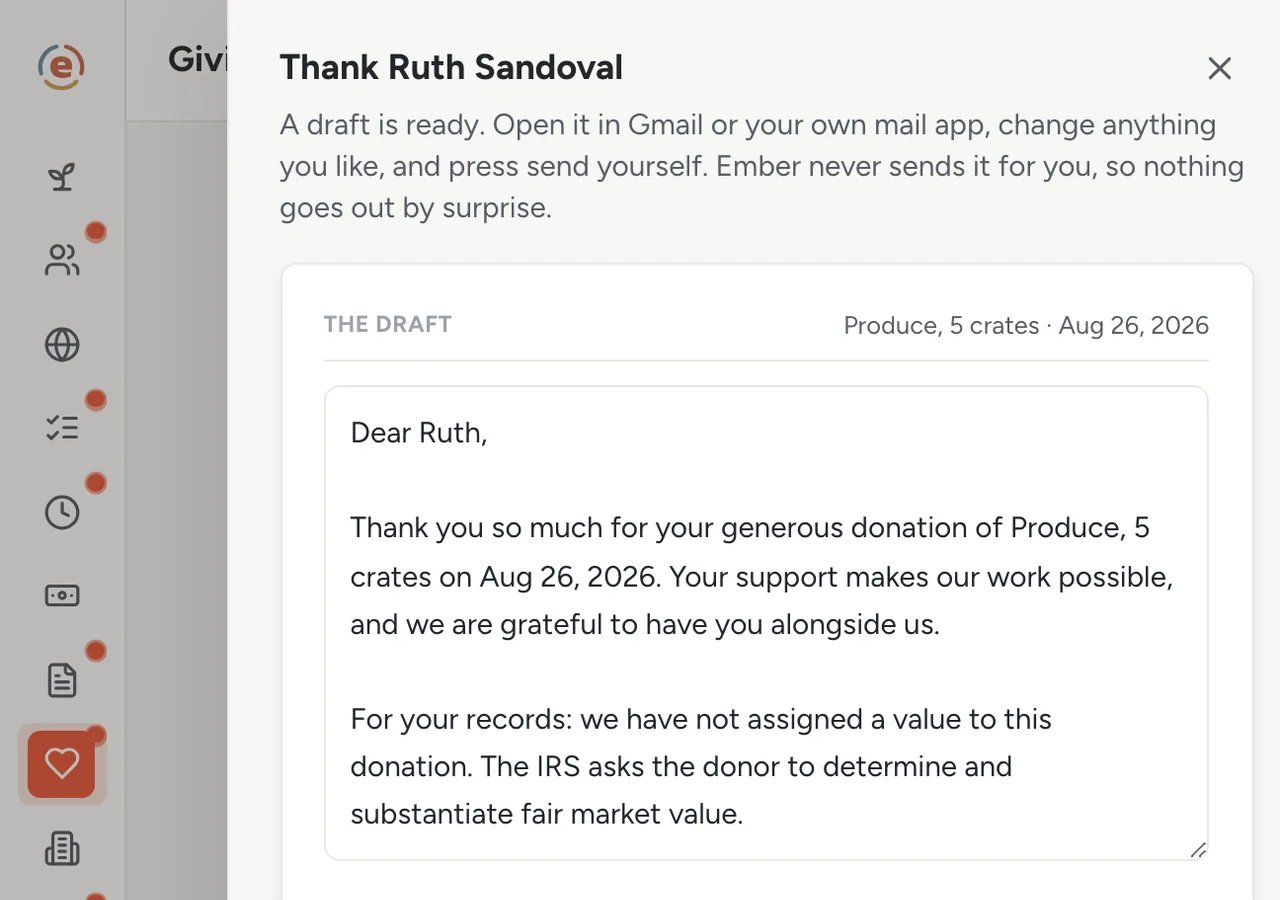
The draft, the handoff to your own mail, the record of how you thanked them. Demo data. Mark it thanked
Back in Ember, say how you thanked them, email in this case, and tap Mark thanked. The gift drops off the waiting list and the donor's history shows it as thanked. From that point the gift can no longer be deleted by accident, because you have told someone in writing that you received it.
Friday: nobody is waiting, but four people have gone quiet
By Friday all five are done. The All donors panel shows everyone you have, with their last gift and what they have given in total. Flip on Gone quiet and it narrows to the four people whose last gift was over a year ago. That is next week's work, and it calls for a different kind of note.
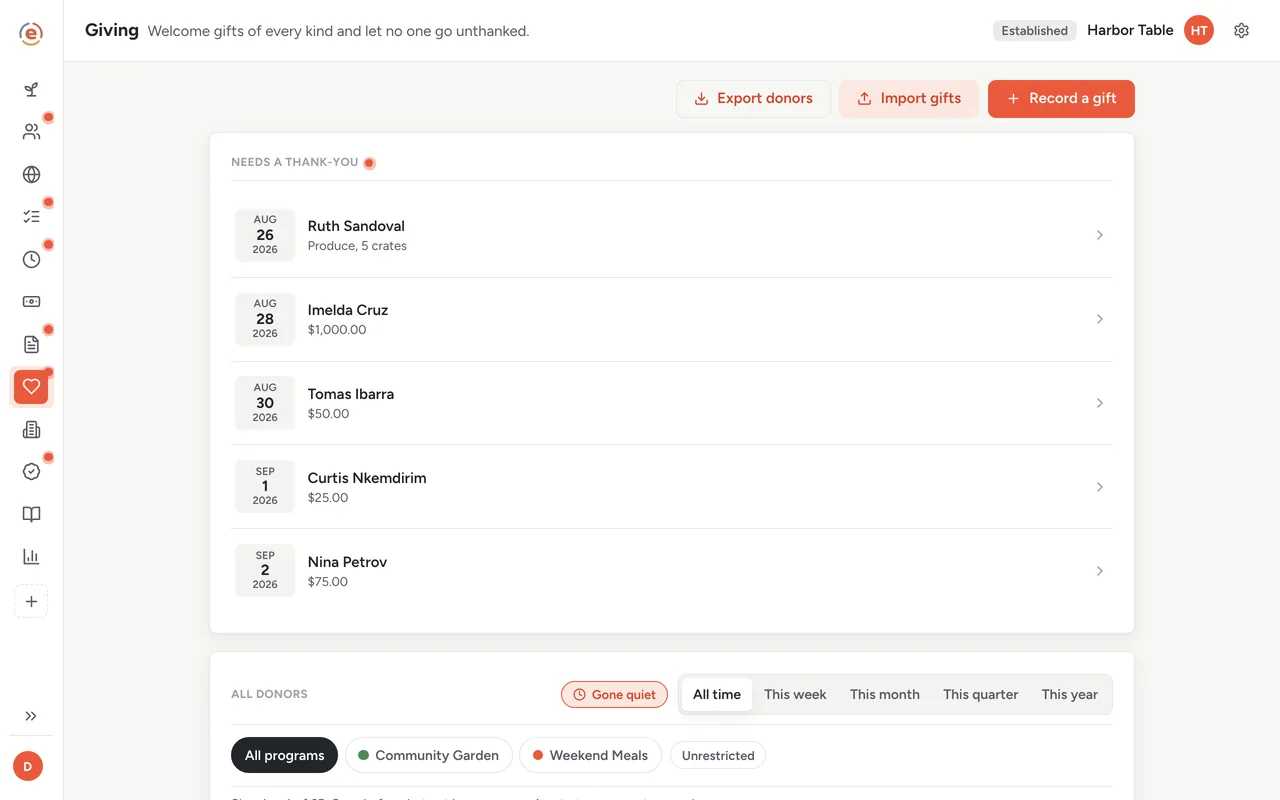
Four people who used to give. A call, not a form letter. Demo data. Year end: the statements are a button
In January, tap Year-end statements and pick the year. Ember opens a printable letter for every donor who gave that year, laid out for a window envelope, or gives you a mail-merge file instead. Each donor's profile also has a Statement button for one letter. The acknowledgment a cash gift of $250 or more needs for tax purposes was the emailed thank-you itself. If last year's gifts live in Donorbox or Givebutter, import them once; the history comes with them.
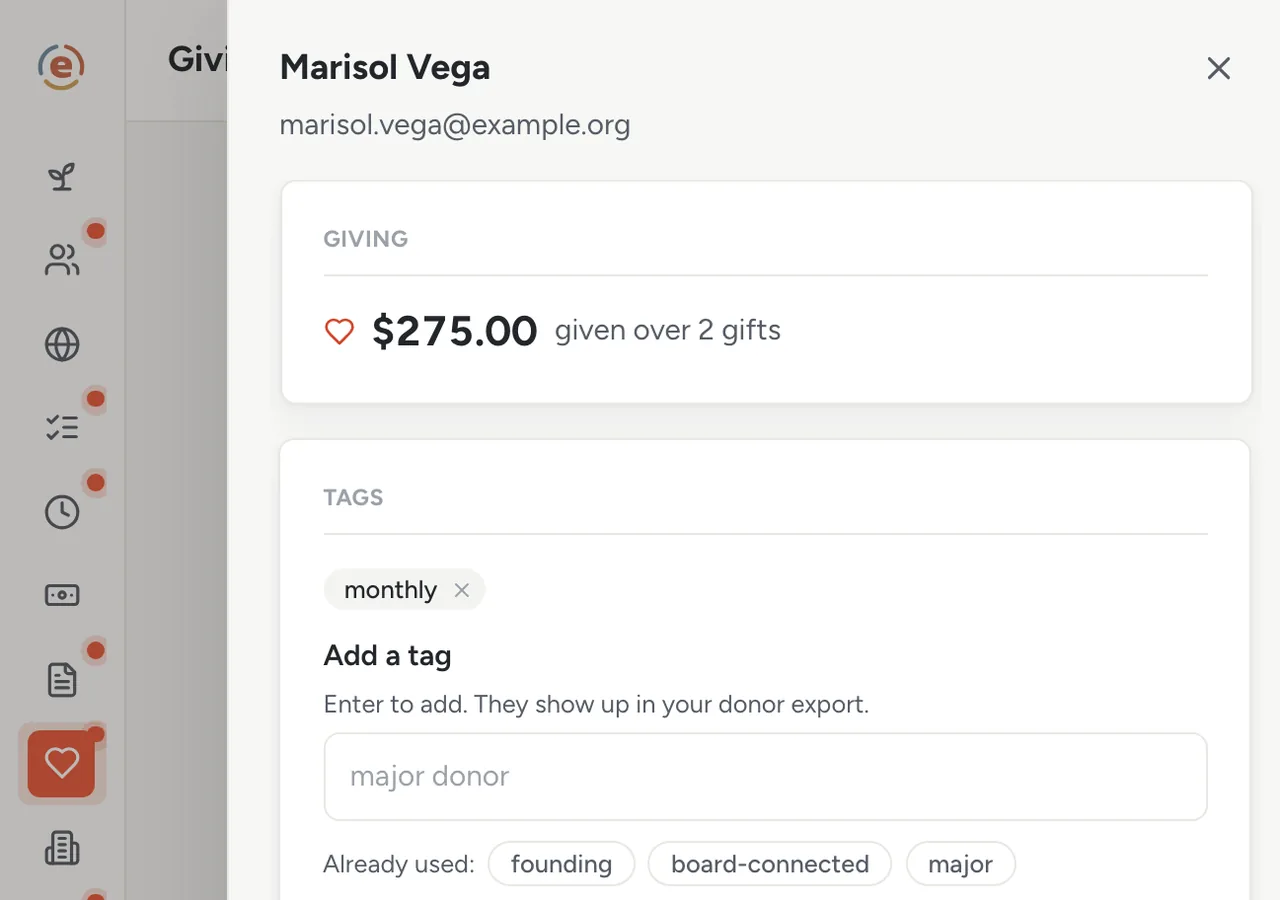
One donor: what they have given, and how you tag them. Demo data.
Who does what
If you are the program manager
When a gift comes in, you open the waiting list, send from your own email and mark it done, the same day or the next. On Friday a quick look confirms nobody is still waiting. You never wonder who was missed.
If you are the executive director
You can see how many people are still waiting, and who has gone quiet, without asking anyone. The $1,000 first-time donor was thanked in nine days, not never.
If you are the treasurer
Gifts are recorded once, in Budget, with their restriction. The thank-you and the ledger cannot drift apart, because they are the same record.
- A few dozen donors and a spreadsheet column called 'sent?' that is not kept up.
- One person who writes the thank-yous, from their own mail account.
- Gifts that are already being recorded for the books and should feed stewardship too.
- A wish to notice who has gone quiet before they are gone.
What it costs at this size
An org with a $320K budget sits in the Established band: $99 a month billed yearly, every app, unlimited users. Under $50K a year it is $0. Ember never takes a cut of a gift, because it never touches the money. See every band.
Free templateDonor thank-you letter
If you want to write your own draft instead of Ember's, start here. Includes the year-end version.
This is general information, not legal or tax advice. What a donation acknowledgment must say for the donor's tax purposes is set by the IRS and depends on the gift. Check the current IRS rules or ask a professional before you rely on any letter.
The Ember tool for this stepEmber Giving
Ember Giving keeps a list of who still needs a thank-you, drafts each one for you to send from your own email, and shows who has gone quiet. Unlimited users on every tier.
The Ember tool for this stepEmber Budget
Ember Budget tracks money in and out by program and keeps restricted funds apart from flexible funds. Unlimited users on every tier.
Sources: Acknowledgment rules: IRS, charitable contributions, written acknowledgments, read 3 September 2026. The org, people and figures on this page are an invented example; Ember has no customer data to report yet. Product behavior is described as built on 3 September 2026 and re-checked at each release.