Home / Use cases / A free nonprofit website that updates itself
Use case · website
A free nonprofit website that updates itself
Updated October 2026
The page is built from what you already run: mission, programs, published numbers, open shifts. Dress it, flip it live, never edit it again. Here is how a founder gets there.
The problem, in your words
You have a mission, a program, and a Tuesday shift that needs four people. You do not have a website. Or you have one from 2019 that says the wrong things, and nobody can log in to it. A website builder wants a monthly fee and a weekend. The shift is this Tuesday.
You are not behind on your website. You are behind on re-typing, because a nonprofit's website is mostly things it already knows: what it does, who it serves, when it needs help.
Every org in Ember has a public page from day one. It is built from what is already there: the mission, the programs and the numbers you choose to publish, the next shifts, a story someone agreed to share. Pick a theme, add a logo and a tagline, flip it to Live. When you post a shift, it is on the page. When you log a count on a number you made public, the page updates. You never edit the website, because there is nothing to edit.
The org in this example
Starter band (under $50K a year, $0)
An invented example, sized like the orgs Ember is built for. Not a customer.
The walkthrough
The page is already there
Open Ember Web and the page is already there, unpublished, with your name and your mission on it. A note says the page still looks thin and lists what would fill it out. The web address is set too: Ember's public address, a slash, and your org's name.
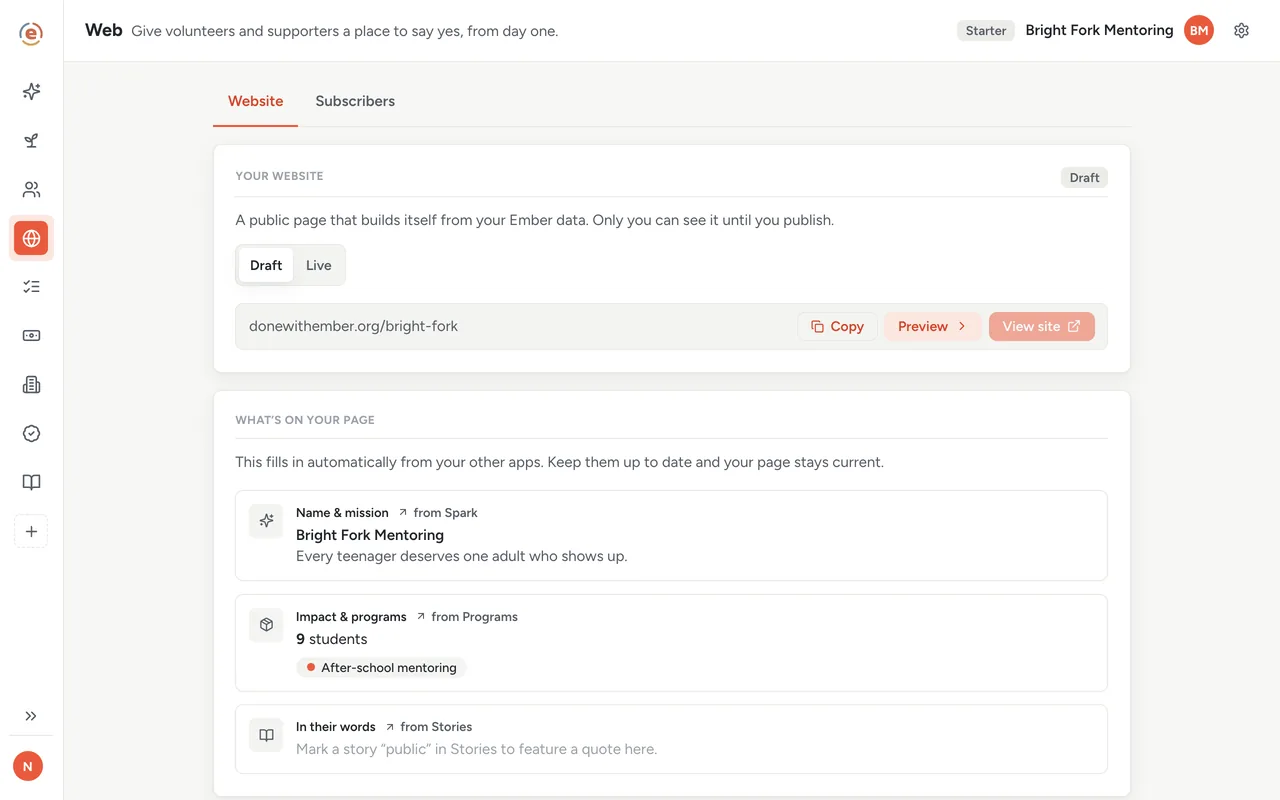
Day one: a draft page, an address, and a list of what would fill it. Demo data. Make it look like you
Upload a logo, pick one of the three looks, write a one-line tagline, set your color, add your Instagram, and paste the link to wherever you already take donations. Ember never touches the money; the Donate button simply sends people where you point it. Add a contact email and people can write to you, and the address itself never appears on the page for spammers to find.
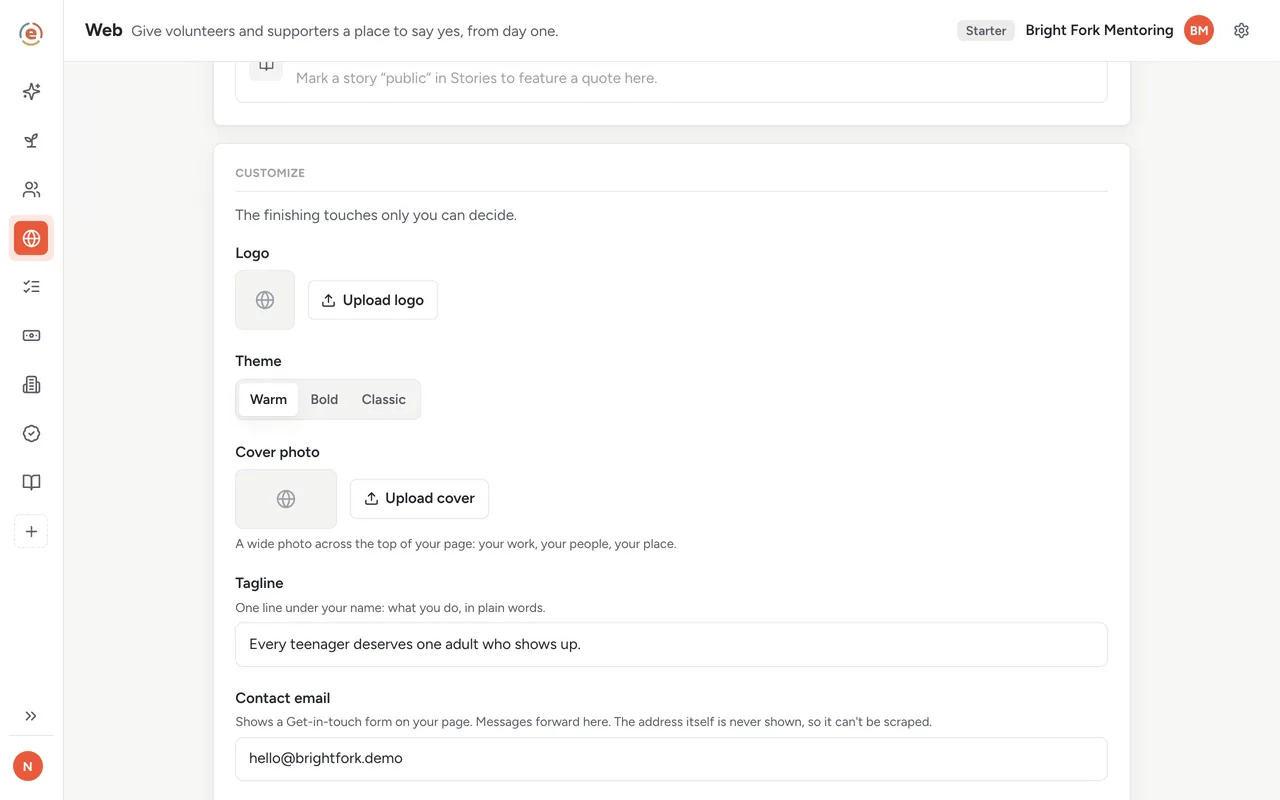
Logo, theme, tagline, color, donate link. Saves as you go. Demo data. Decide what numbers go public
In Ember Programs, every number you track has a switch beside it: show this on the website, or keep it private. Turn on the ones you are comfortable sharing and leave the rest alone. A program gets its own card on the page once one of its numbers or goals is public, and everything starts private until you decide otherwise.
Post the shift, and it is on the page
In Ember Volunteers, post Tuesday: four spots, 4:00 PM. It shows up on the public page under that program with a Sign up button. A neighbor taps it, types a name and an email, and is signed up. They stay off your list of volunteers until you confirm them. No account, no app to download. Once all four spots are taken the shift shows as Full, or, if you have turned on the waitlist for that program, the button turns into Join the waitlist.
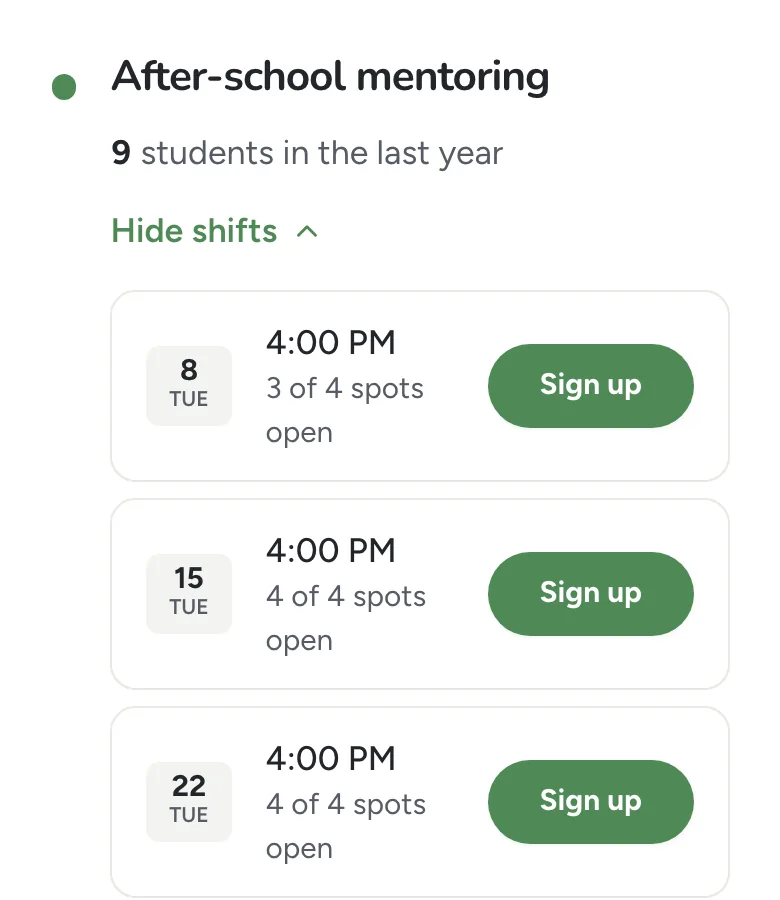
What a neighbor sees on a phone: the shift, one button. Demo data. Preview, then go live
Preview shows the real page at laptop and phone width, and until you publish it nobody else can see it. Flip the switch to Live and confirm. The page goes out with a proper title, description and link preview for when someone shares it. The footer shows the kind of organization you chose and what Ember has checked, such as your EIN once it matches the public IRS record.
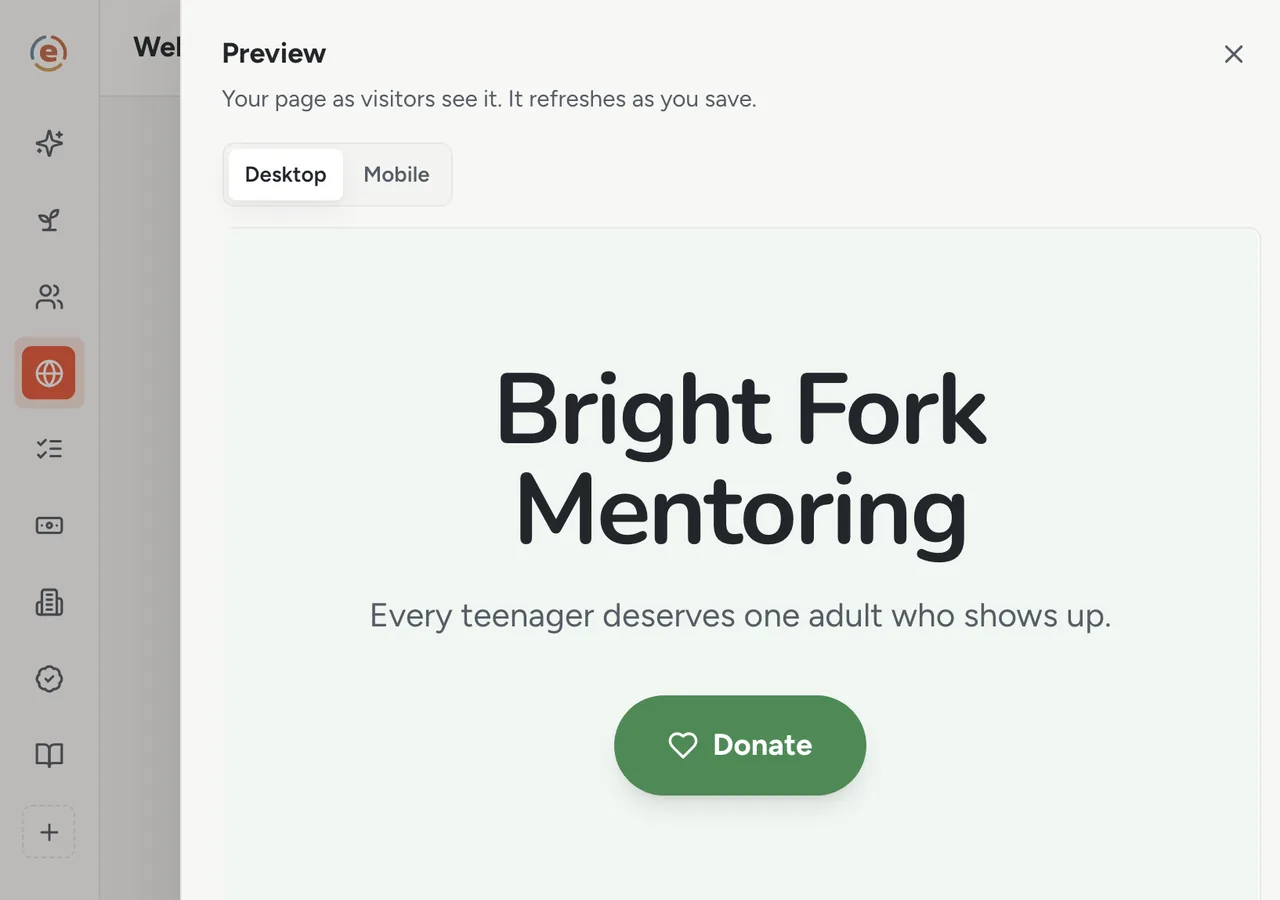
Preview at phone width before it goes live. Demo data. The people it brings in
A week later, the Subscribers tab lists everyone who asked for updates, offered to volunteer or wrote in, and how each one arrived. The people who signed up for Tuesday are on that shift in Volunteers. A message from the church down the road is sitting in Messages with a Reply button that opens your own email. Visits shows the count for this week and how people got there: social media, a link in someone's newsletter. Search engines are not shown the page until Ember can confirm a website or email domain of your own, so share the link directly.
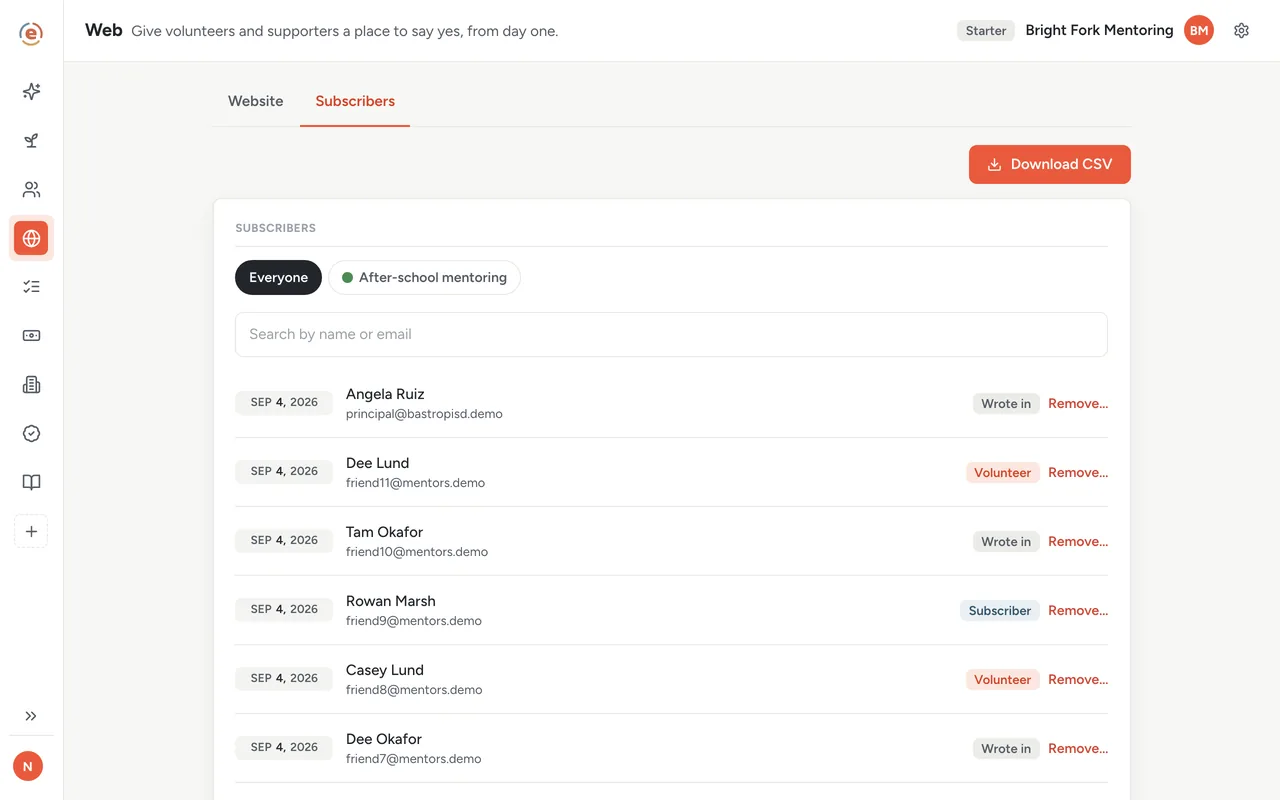
Who the page brought in, and how they found it. Demo data.
Who does what
If you are the founder
You have a website and a sign-up page before the shift. You will not edit the website again, because the programs, numbers and shifts you publish in Ember show up on it.
If you are the executive director
The page tells the truth on its own: the programs you run, the numbers you chose to publish, the shifts that are open. The Subscribers list is yours to download.
If you already have a website
Keep it. Point the Ember page at it with a redirect, or link to the Ember page from your site for the live sign-ups.
- An org with no website, or one nobody can update.
- Shifts and programs that should be public the moment they exist.
- A wish to collect sign-ups and updates without a form builder and a spreadsheet.
- A founder with no budget and no weekend.
What it costs at this size
An org with a budget under $50K a year sits in the Starter band: $0, every app, unlimited users. The page is part of that. It lives at Ember's public host. A domain of your own is not supported today. A site you already own can redirect to it or link to it. See every band.
Free templateHow to start a nonprofit
Not founded yet? The page is waiting at the end of the founding checklist.
The Ember tool for this stepEmber Web
Ember Web gives you a free public page with your mission, the numbers you choose to publish and your open shifts. It stays current as you work in Ember. Unlimited users on every tier.
The Ember tool for this stepEmber Programs
Ember Programs gives each program its goals, its counts and a weekly reflection, and shows whether each goal is on pace. Unlimited users on every tier.
The Ember tool for this stepEmber Volunteers
Ember Volunteers lets people sign up for your shifts from one link, with no account. You check them in on your phone, and their hours are recorded. Unlimited users on every tier.
The Ember tool for this stepEmber Stories
Ember Stories keeps the moments behind your numbers, each tagged to its program. Every moment starts visible only to your team, and goes further only when you clear it. Unlimited users on every tier.
Sources: The org, people and figures on this page are an invented example; Ember has no customer data to report yet. Product behavior is described as built on 3 September 2026 and re-checked at each release.