Home / Use cases / Never miss a Form 990 or state renewal
Use case · compliance
Never miss a Form 990 or state renewal again
Updated October 2026
Four answers build the filing calendar. Put a name on each line, and that person hears 30 days out. Here is how a three-staff nonprofit keeps eight filings a year current.
The problem, in your words
The 990 is due in a month and nobody is sure whether it is the 15th or the 17th. The state charity renewal came in the mail in April, to the old treasurer. The insurance lapsed for eleven days last year and you found out from the broker. None of it is hard. All of it is invisible until it is late.
You are not careless. You are running a compliance calendar in your head, and your head has other jobs. The fix is a calendar with a name on every line.
Answer four questions once and Ember builds the filing calendar. The Form 990 and your state's annual report. A charitable registration renewal if you ask the public for money, payroll filings if you have staff, a health permit if you serve food. Put a name on each line. The owner gets an email 30 days out, 7 days out, on the day, and weekly until it is filed. Recording the filing moves the date on to the next one.
The org in this example
Established band ($100K to $500K a year)
An invented example, sized like the orgs Ember is built for. Not a customer.
What it looks like, once and then never again
Four answers, one calendar
Ember Compliance asks you four things: when your financial year ends, whether you have paid employees, whether you ask the public for money, and whether you handle food. Tap Build my calendar and the usual filings each get a line with a date and the office it goes to. The Form 990 lands 4 months and 15 days after your year end, so a June 30 year end means November 15. Your state's annual report follows your state's own rule, with a link to where you file it. If your state counts from the day you incorporated, Ember asks you for that date. A charitable registration renewal and a county permit start with a placeholder date, because Ember does not know your state registry's or county's schedule. You set the real dates, and their reminders start from there.
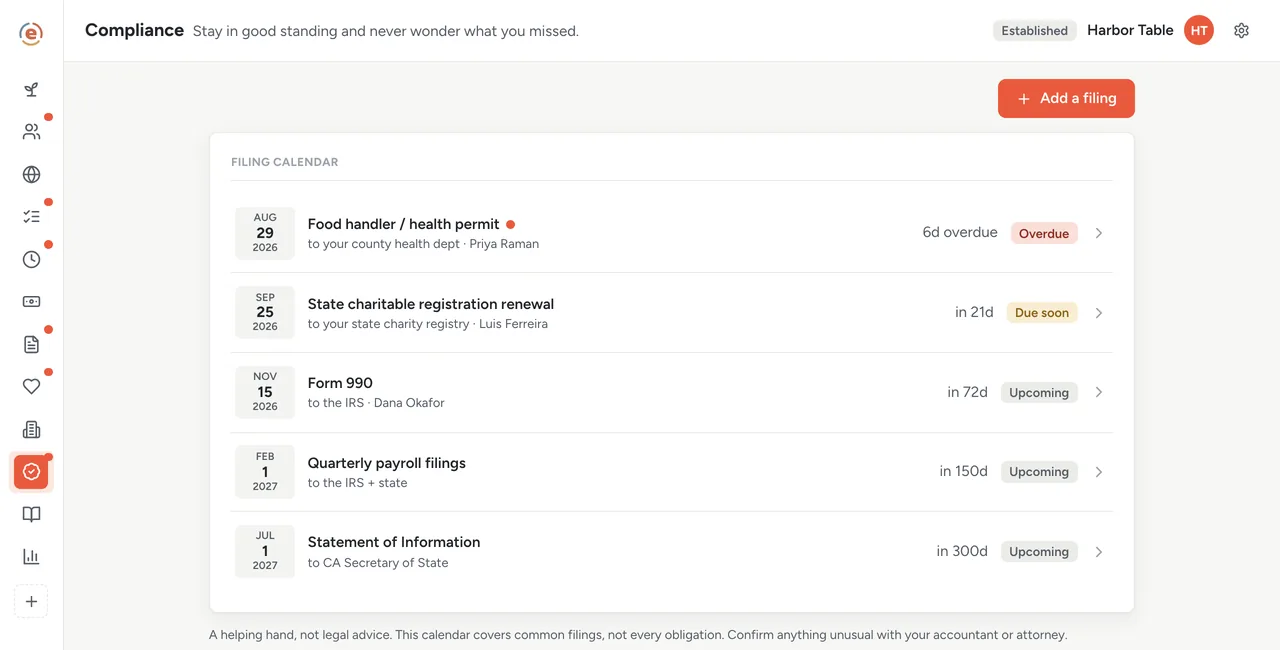
Five filings. One already late, one due inside a month. Demo data. Put a name on every line
Give each filing to the person who will actually do it. The 990 is usually yours. The state renewal might go to whoever handles the admin, the food permit to whoever runs the kitchen. Nothing belongs to the organization in general, because that is the same as belonging to nobody. Everyone on staff can see the calendar; you and your admins are the ones who change it.
The reminder goes to the person who has to act
Thirty days out, the person whose name is on it gets an email. Again at seven days, again on the day, then every week until it is filed. It also sits at the top of their own list in Ember Work, above whatever else they are doing.
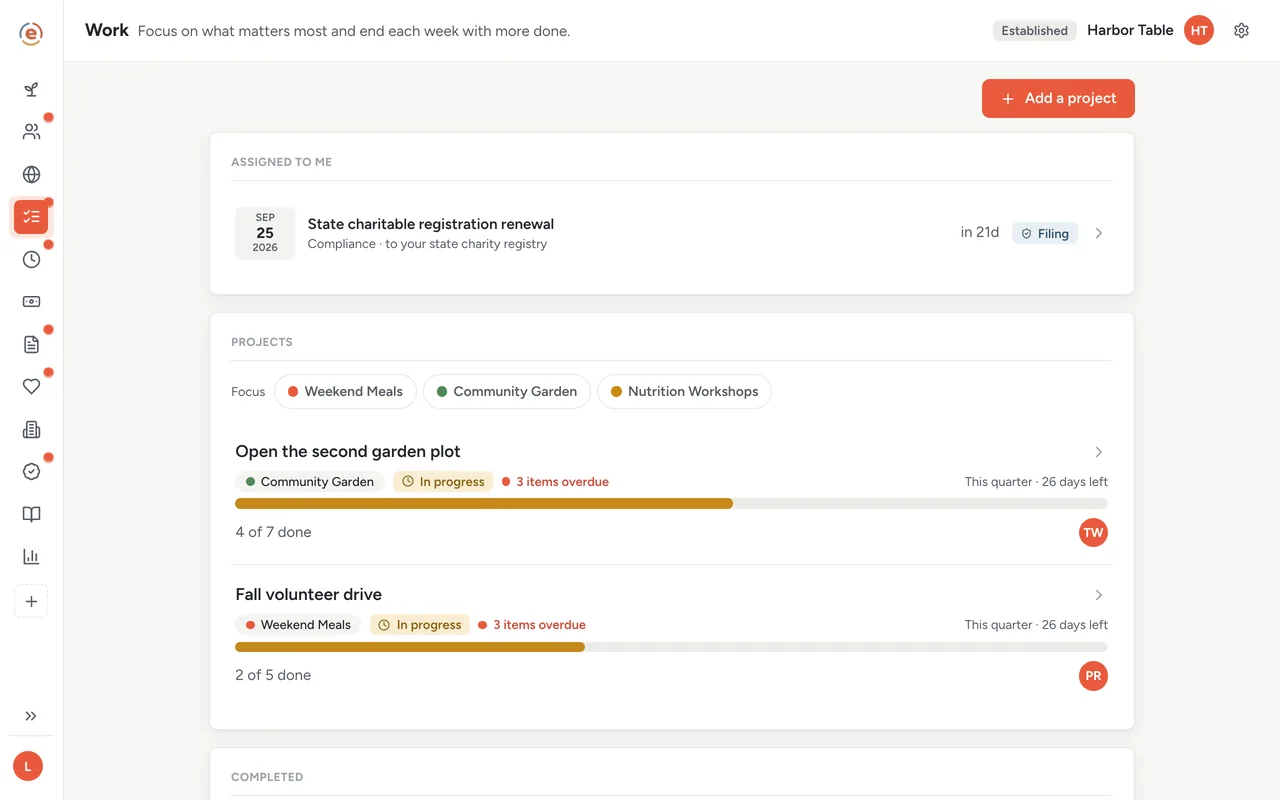
The filing sits above everything else on their list until it is done. Demo data. Two things to check before the 990 goes out
The 990 line carries a short list: has the board approved it, and is money being recorded in Budget this year. Both are easy to forget in the rush. Which 990 you file depends on your income; Ember tracks the date, and you and whoever prepares it pick the form.
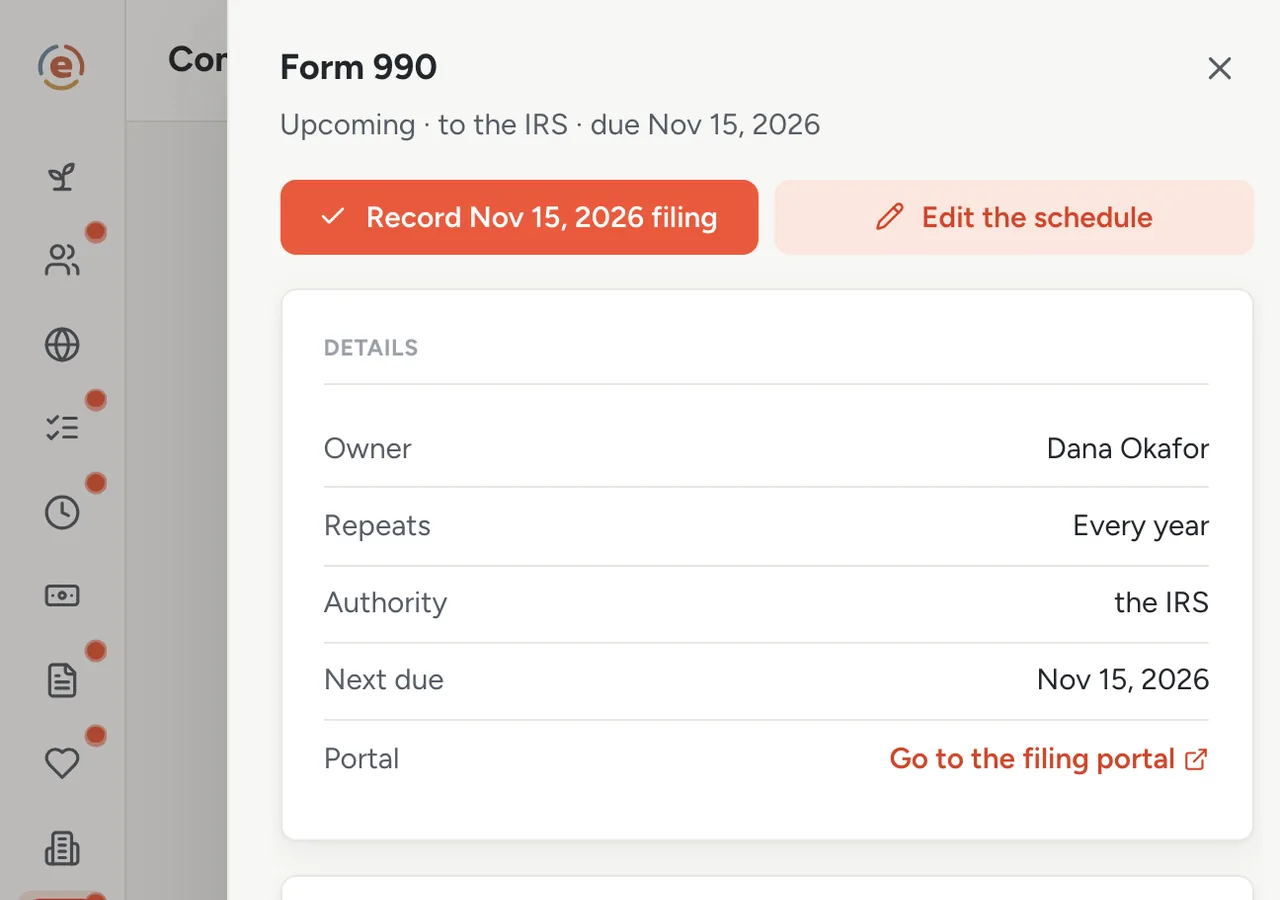
Who owns it, when it is due, what to check first. Demo data. File it, record it, and next year is already set
The filing site is linked from the line where Ember knows it; add the link yourself for the rest. When it is done, record it: the date, the confirmation number, a link to the proof. The record goes into the line's history, and next year's date appears on its own. Nothing to re-enter next April.
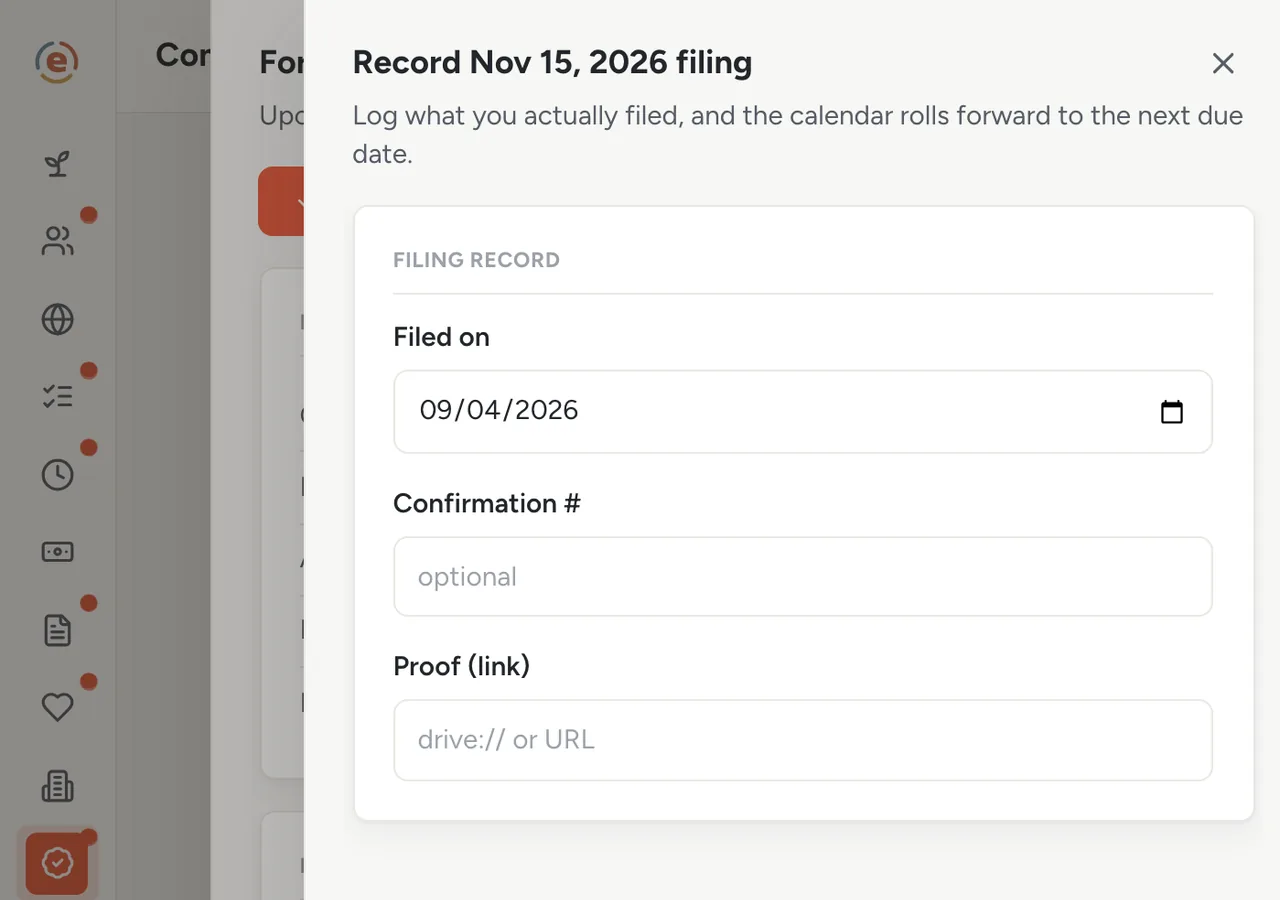
Once: the date, the confirmation, the proof. Demo data. Add the ones only you know about
Those four questions cover the common filings, not yours specifically. The insurance renewal and the county permit are yours to add: a name, the office, how often, when it is next due, who owns it, and a link. Nothing is ever deleted, only tucked away, so the history holds.
Who does what
If you are the executive director
You answer four questions, hand out the owners, and stop being the only person who knows when things are due. The 990 line reminds whoever files it to check two things first.
If you are the person who does the filing
Your reminder arrives in your inbox 30 days out. The row has the portal link and last year's notes and confirmation. You file, record it, and the next date is set.
If you are the treasurer with an admin role
You can see the whole calendar and whether anything is overdue, without asking. You can hand a filing to someone else with one change.
- A handful of filings a year to two or three authorities, and one of them has slipped before.
- Deadlines that live in one person's head, or in mail sent to a former treasurer.
- A board that wants to know the org is current without running the calendar itself.
- A wish to keep proof of filing in one place for the next audit or grant application.
What it costs at this size
An org with a $320K budget sits in the Established band: $99 a month billed yearly, every app, unlimited users. Under $50K a year it is $0, and the calendar is the same. See every band.
Free templateNonprofit compliance calendar
The same calendar as a checklist you can print. Start here if you want to see the year before you build it.
This is general information, not legal or tax advice. Which Form 990 you file, which state registrations apply, and when they are due depend on your own facts and change over time. Confirm every deadline with the IRS, your state, or a professional.
The Ember tool for this stepEmber Compliance
Ember Compliance builds your filing calendar from a few questions and emails a reminder 30 days before each dated filing is due. Record each filing and the next date is set for you. Unlimited users on every tier.
The Ember tool for this stepEmber Work
Ember Work puts every task in one shared place, with a name on it and a due date. What is due soonest rises to the top. Unlimited users on every tier.
Sources: Form 990 due date: IRS, return due dates for exempt organizations, read 3 September 2026. The org, people and figures on this page are an invented example; Ember has no customer data to report yet. Product behavior is described as built on 3 September 2026 and re-checked at each release.