Home / Use cases / Your first board and your first meeting
Use case · for founders
Your first nonprofit board and your first meeting
Updated October 2026
Invite three people to a seat, schedule one meeting, and let the structure explain the job. Here is how a founder gets from two friends to a board that has met.
The problem, in your words
You want three board members before you file the 1023. You have two friends who said "sure." One of them asked what the job actually is, and you were not certain either. Then there is a first meeting to hold. It needs an agenda, a quorum, minutes, and a conflict-of-interest form each of them signs. Nobody in the room has done this before.
You are not unprepared. Nobody starts with a board that knows what a board does. The fix is to invite them into something that already has the shape of a board, so the shape teaches the job.
The board step in the founding checklist emails each person an invitation to a seat and adds them to your board list. When they accept, they get one quiet page with the next meeting and an RSVP on it. You schedule that first meeting, and Ember sets the quorum for you. Add the four motions every first agenda has, mark who showed up, take the votes, approve the minutes. The bylaws they are voting on were drafted back at step four. Each seat shows whether that person's conflict-of-interest form is signed yet.
The org in this example
Starter band (under $50K a year, $0)
An invented example, sized like the orgs Ember is built for. Not a customer.
The walkthrough
Invite the board from the founding step
Step five of Ember Spark asks for names and email addresses. Put in your two friends and yourself. Appoint + invite board emails each of them an invitation to a board seat, sent in your org's name and good for 14 days. All three also show up on your board list in Ember Board Hub. Someone without an email address still gets a row there; they just cannot sign in.
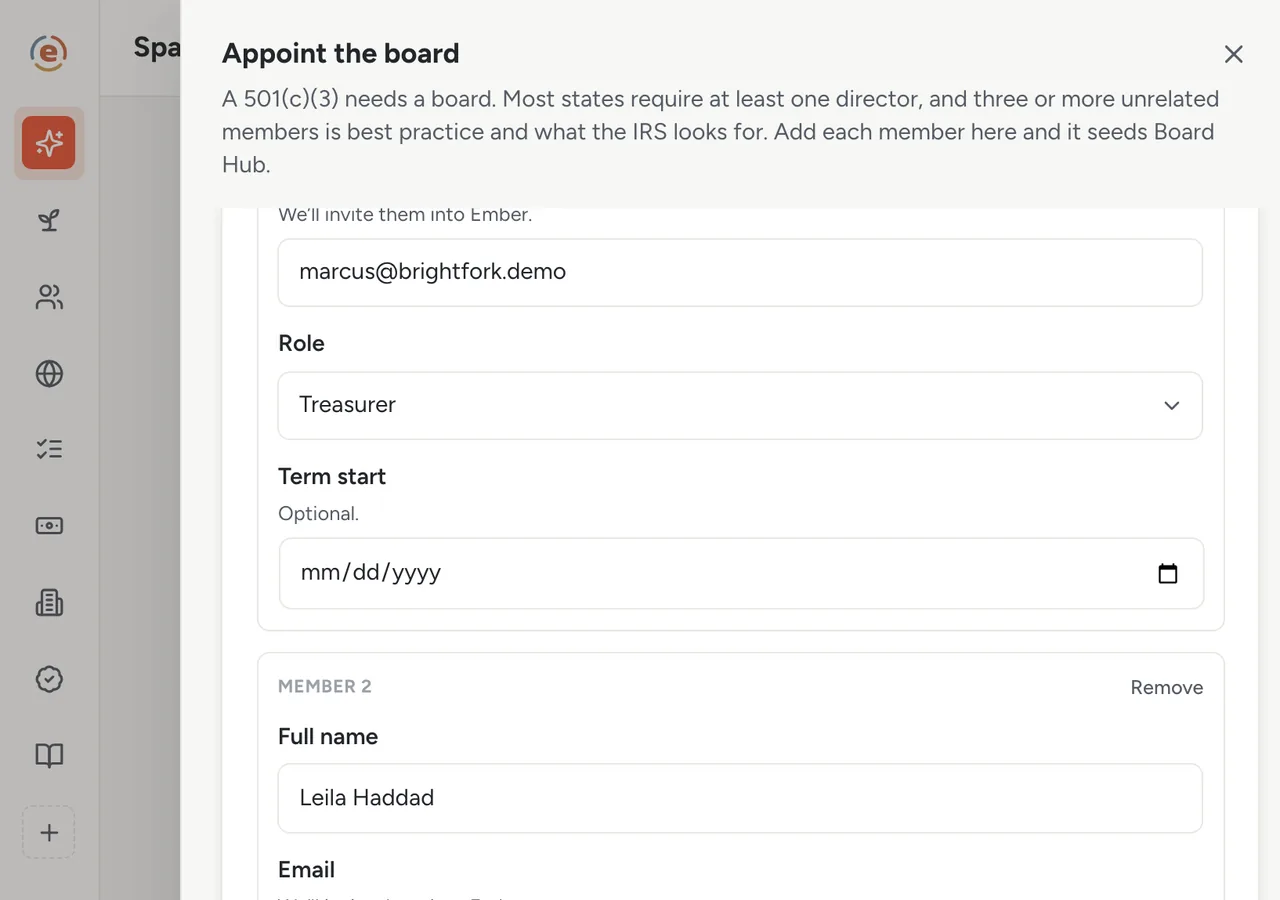
One seat at a time: name, email, role. Ember sends the invitation and builds the roster. Demo data. Give each seat a role and a term
The Board tab lists your three seats, each with a job and a term end date: one treasurer, one secretary, and you as chair for now. Every row also shows whether that person has signed the conflict-of-interest statement. All three show this year's statement as outstanding at this point, which is one of the things the first meeting fixes. Send what the job actually involves along with the invitation.
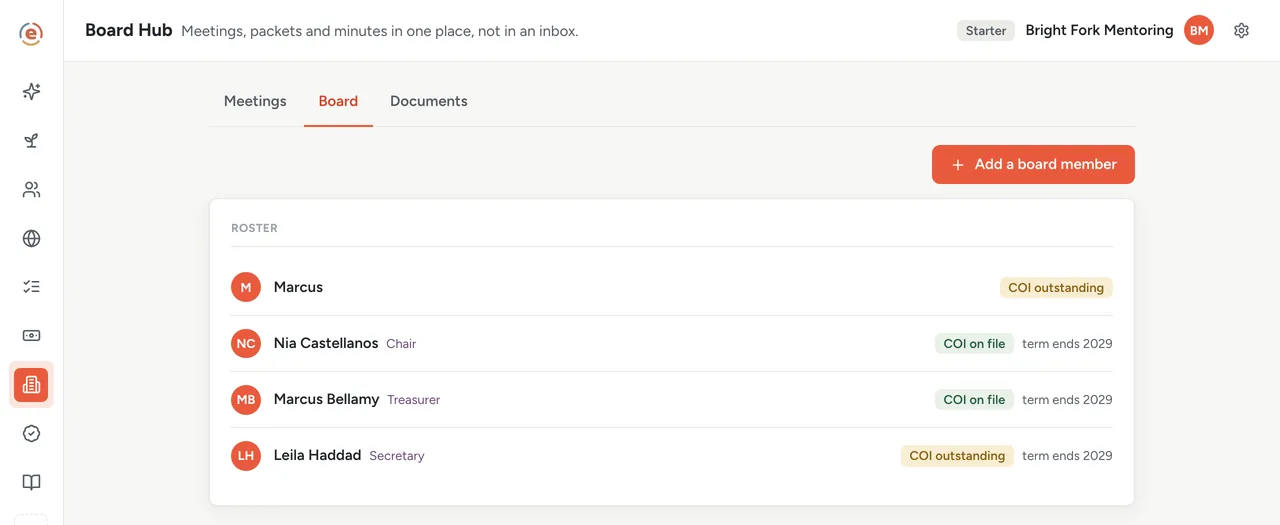
Each seat: a role, a term end, and whether the form is in. Demo data. Schedule the first meeting
Give it a title, a date, a video link for the place, and an agenda: adopt the bylaws, adopt the conflict-of-interest policy, elect officers, approve the bank resolution. Ember sets the quorum, the number of people who have to be present for a vote to count, at a majority of the voting seats. With three seats that is two. The board meeting agenda template is a fine starting point.
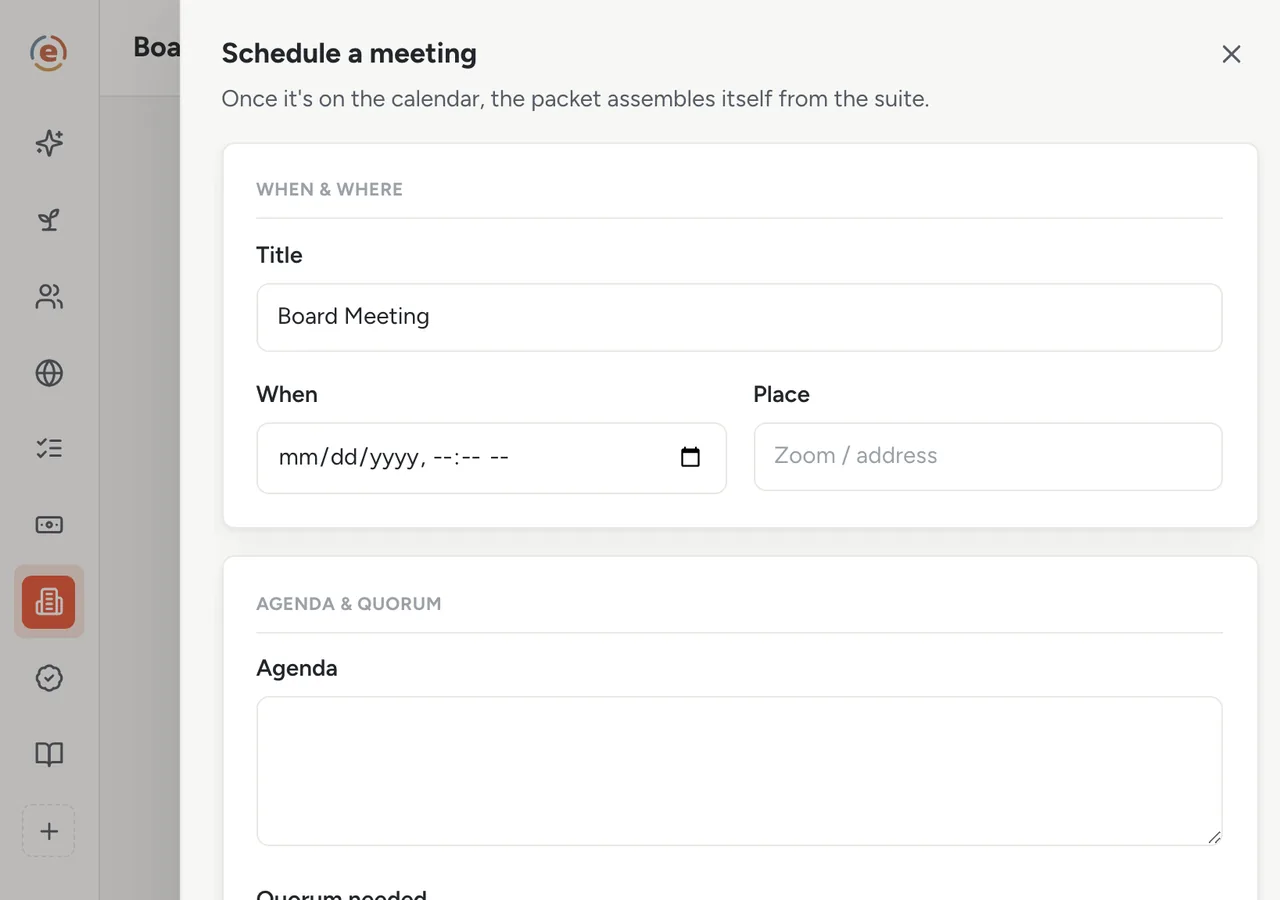
One form. Quorum is already set to two of three. Demo data. What your board members see
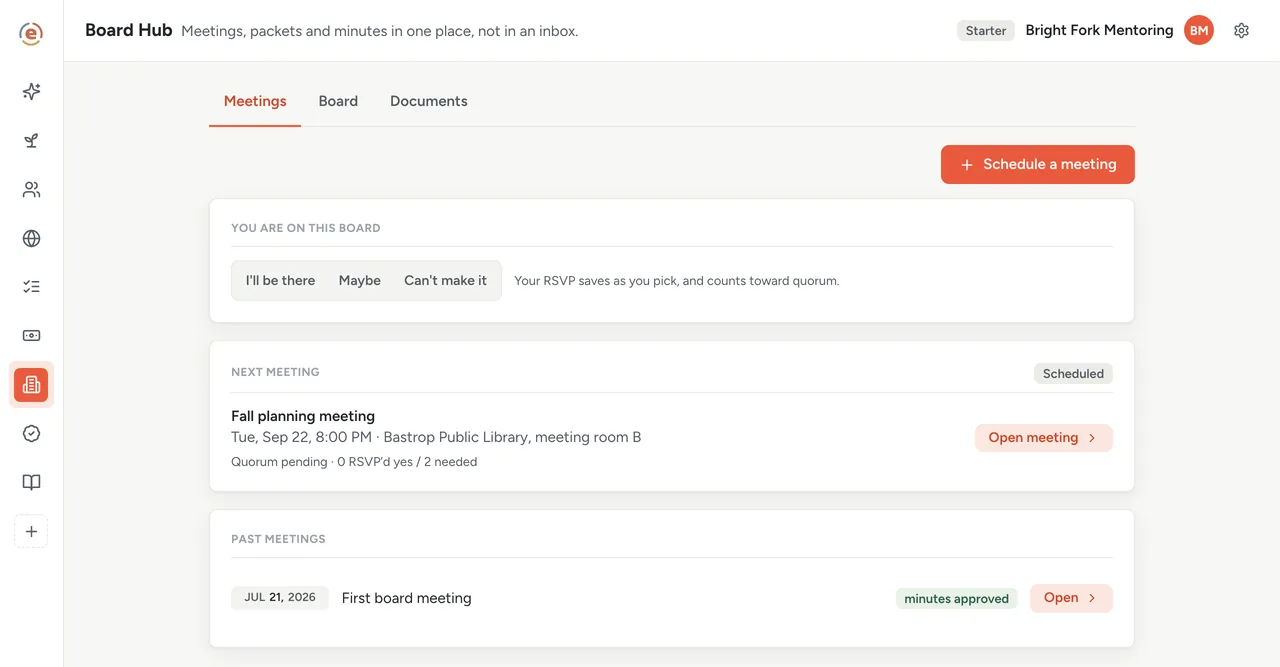
A board member accepts the invitation and lands on one quiet page: the next meeting, an RSVP, and nothing else to work out. They tap I'll be there. When you put the meeting packet together, it appears on that same page, and each of them gets a short email saying it is ready. No attachments go around; the page is the packet.
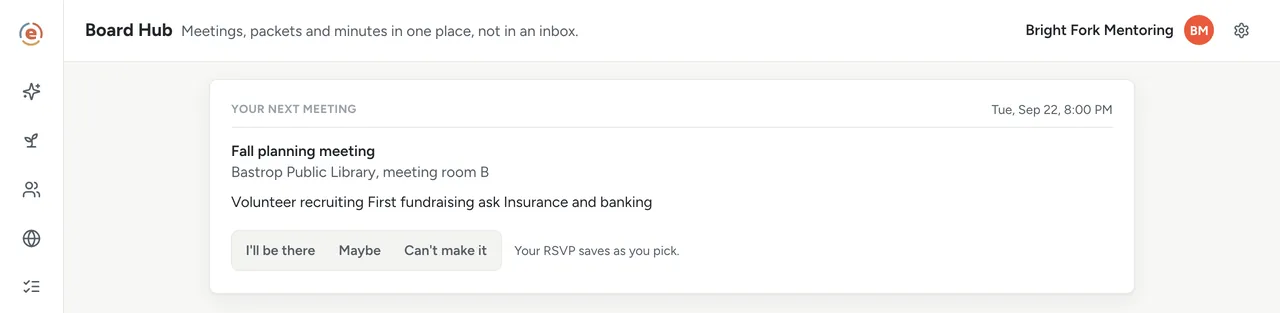
A new board member's first view: one meeting, one question. Demo data. Hold the meeting: attendance, votes, minutes
At the meeting, mark all three present. Add the four motions from the agenda. Your two board members vote from their own seats; you, running the meeting as the account owner, record the count. The bylaws pass, the policy passes, the officers are elected, the bank resolution goes through. Write the minutes on the same screen and approve them, which Ember will only let you do because enough people were there. You now have a board that has actually met.
The first meeting: done, minutes approved. The next one is already on the calendar. Demo data. After: the form on file
Each member signs this year's conflict-of-interest statement on their own board page: they confirm the policy, say whether anything could be a conflict, and type their name. Your board list then shows whose statement is in and whose is not, and Ask the others emails anyone still outstanding who can sign in. Keep the signed bylaws and policy in your own files: Ember does not store board documents yet.
Who does what
If you are the founder
You invite three people, schedule one meeting, and the structure does the explaining. By the end of the first meeting, the bylaws and the officers are real.
If you are a new board member
You get one page with one meeting on it, a yes-or-no question, and later the packet and your vote. The job is smaller and clearer than you feared.
If you are the new treasurer
The bank resolution is on the agenda and drafted. Your first task is to take it to the bank.
- A brand-new org that needs a real board to file and to open a bank account.
- Two or three willing people who have never served on a board.
- A first meeting that has to produce adopted bylaws and elected officers.
- A founder who would rather the structure teach the job than explain it themselves.
What it costs at this size
An org with no budget yet sits in the Starter band: $0, every app, unlimited users. Board members sign in as board members at no cost per seat, now and at every band. See every band.
Free templateNonprofit bylaws and conflict-of-interest policy
What the documents on the first agenda need to say, before the board votes on them.
This is general information, not legal or tax advice. Board rules vary by state, and so does what your bylaws can say. Tax questions turn on your own facts. Read your bylaws and your state's nonprofit act, and ask an attorney or CPA before you rely on any of it.
The Ember tool for this stepEmber Spark
Ember Spark walks you through the 12 steps of founding a nonprofit, with starting drafts of your bylaws and conflict-of-interest policy, your Form 1023 narrative and a bank resolution. Finished steps fill in the rest of your workspace. Unlimited users on every tier.
The Ember tool for this stepEmber Board Hub
Ember Board Hub keeps your meetings, packet, quorum, votes and minutes in one place. The packet builds itself from your own latest numbers. Unlimited users on every tier.
Sources: The org and figures on this page are an invented example; Ember has no customer data to report yet. Board composition points are general practice; see the disclaimer above. Product behavior is described as built on 3 September 2026 and re-checked at each release.