Home / Use cases / A board packet without a week of prep
Use case · board
A board packet without a week of prep
Updated October 2026
Schedule the meeting and write the agenda; one tap assembles the packet. The numbers arrive on their own and the board signs in to read them. Here is how a five-seat board runs its quarter.
The problem, in your words
The board meets in nine days. You owe them a packet. That means pulling numbers from four places and pasting them into a document. Then chasing the treasurer for the money slide. Then sending a PDF nobody opens until the car ride over. It takes a week you do not have, four times a year.
The packet is not the problem. Re-typing is. Every number in it already exists somewhere in your work. The job is to stop moving it by hand.
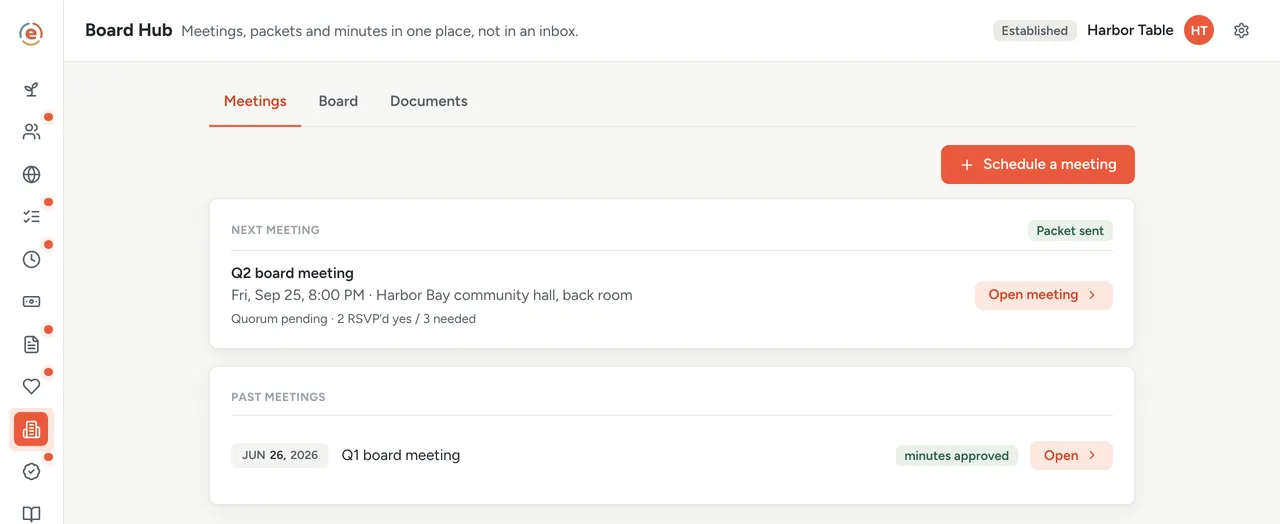
Schedule the meeting and write the agenda. Tap Assemble & send packet. Your biggest count for the quarter, the money raised this quarter and your grant awards to date snapshot into a card with three numbers on it. Your board gets an email with the agenda and a link. They sign in, see the card and RSVP. At the meeting you record who was there, close the motions, and the minutes become official when the room was quorate. No PDF, no chase.
The org in this example
Established band ($100K to $500K a year)
An invented example, sized like the orgs Ember is built for. Not a customer.
What it looks like, one quarter at a time
Three weeks out: put the meeting on the calendar
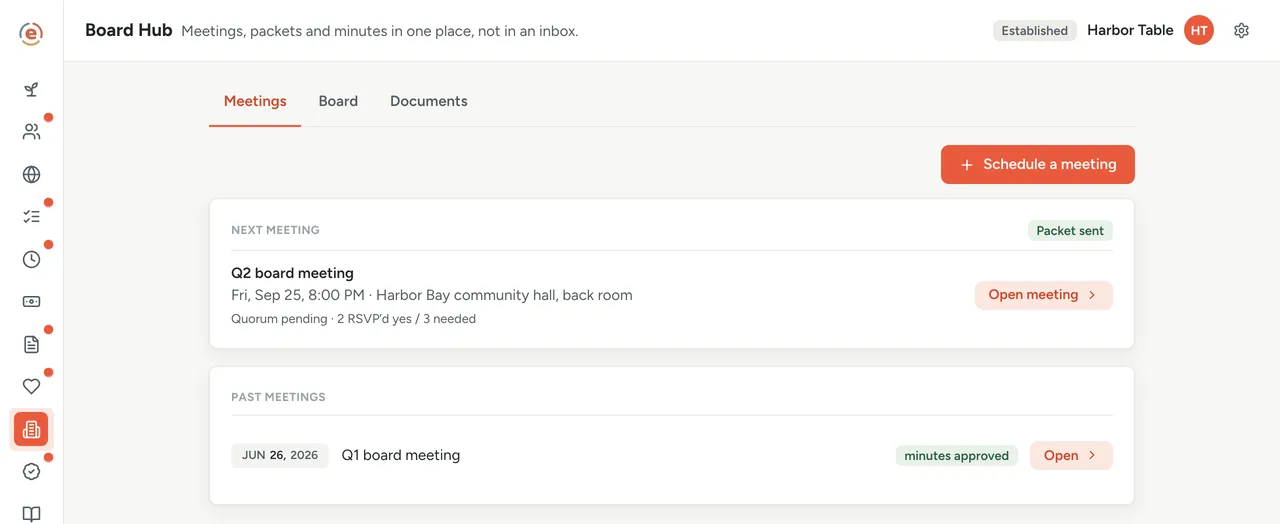
In Ember Board Hub you give the meeting a title, a date, a place and an agenda. Ember works out how many people you need in the room for a valid meeting, a majority of the board's voting seats, and you can change it. Everyone on the board goes onto the attendance list. The meeting also shows up in a calendar feed carrying only the title, the time and the place.
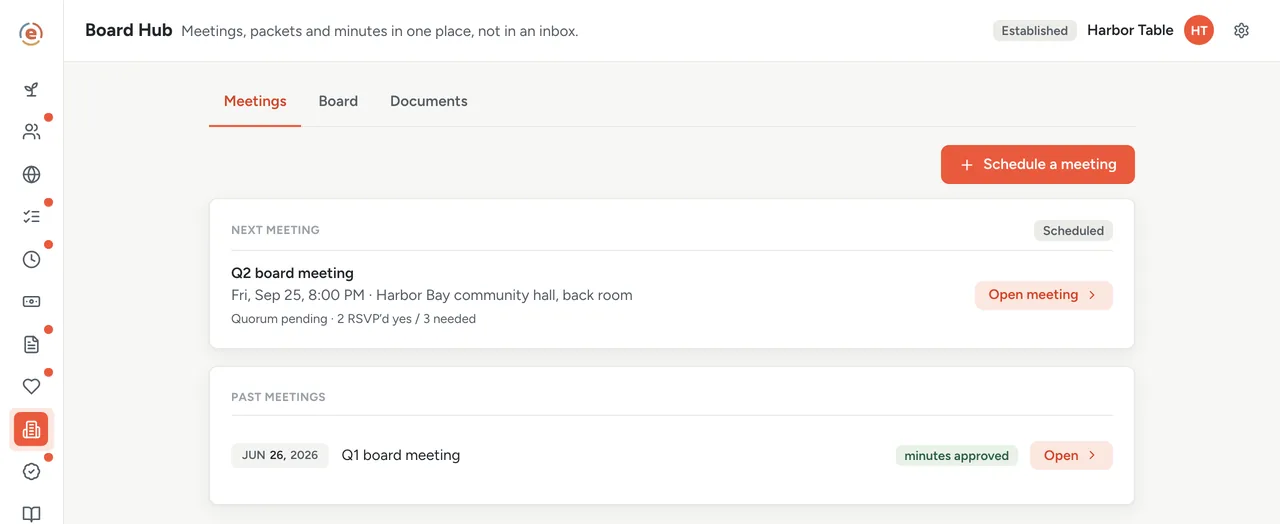
The next meeting: on the calendar, three people in, enough to decide something. Demo data. You do not go looking for the numbers
They are already where the work happens. Each program's goals and counts are in Ember Programs. What you raised and spent is in Budget, by program. Your grants and where each one stands are in Grants. Ember Impact Reports adds it up on its own. The packet is a picture of that, taken on the day you make it.
One week out: one tap makes the packet
Tap Assemble & send packet and Ember takes a snapshot of the quarter: your biggest count, the money raised, and the grants you have been awarded to date. What the board sees is a card with those three numbers, a line saying whether any filing is overdue, and where your organization's own goals stand if you track them. You can only do it once per meeting, so nobody is reading a different version from anyone else.
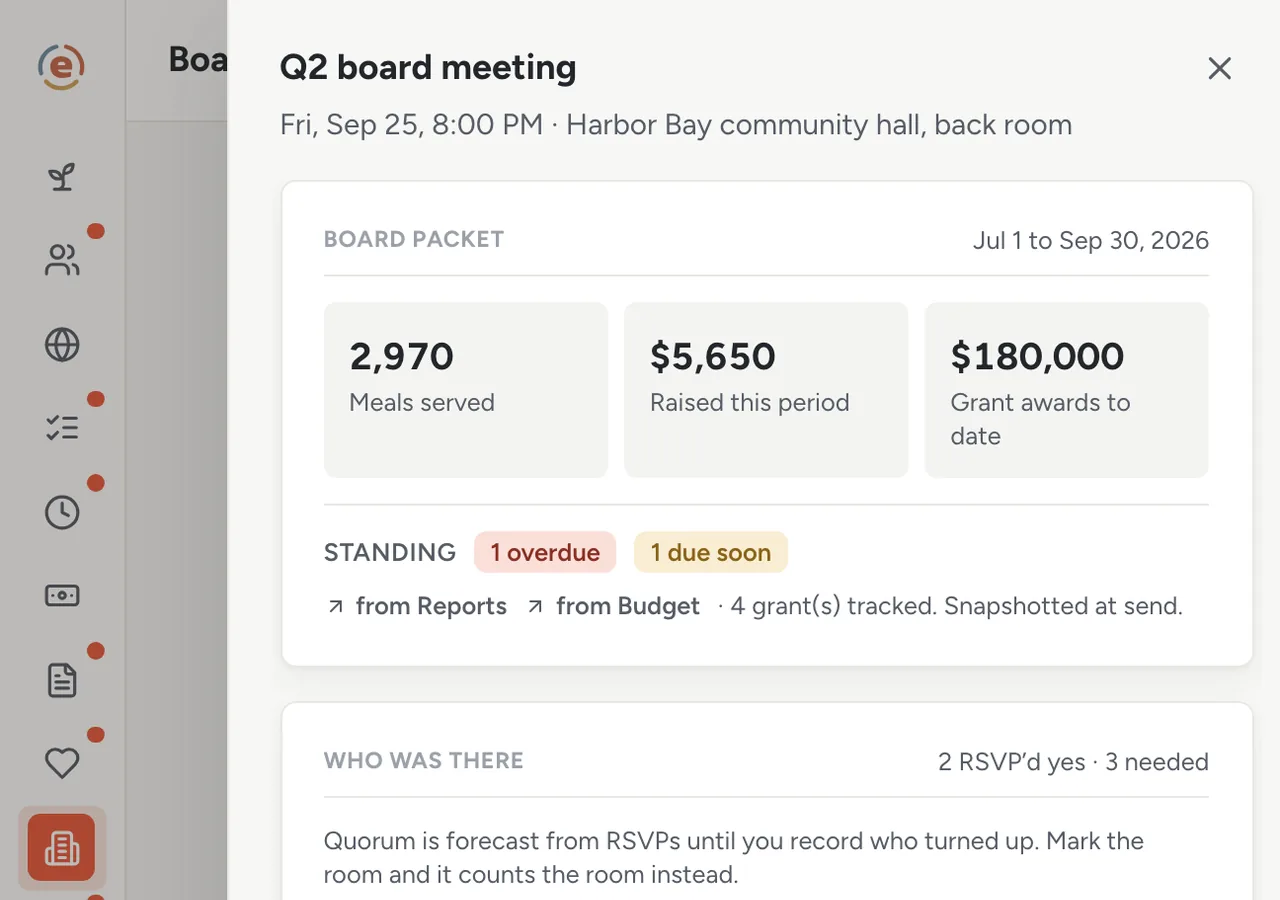
Three numbers, one packet, one version. Demo data. Your board opens it themselves
Each board member Ember has an email for gets a short note saying the packet is ready, with the agenda and a link. The packet itself stays in Ember. A board member signs in and lands on one quiet page: the next meeting with a button to say whether they are coming, the packet, and anything waiting on their vote. Three of them say yes, and you know you have a valid meeting before anyone gets in a car.
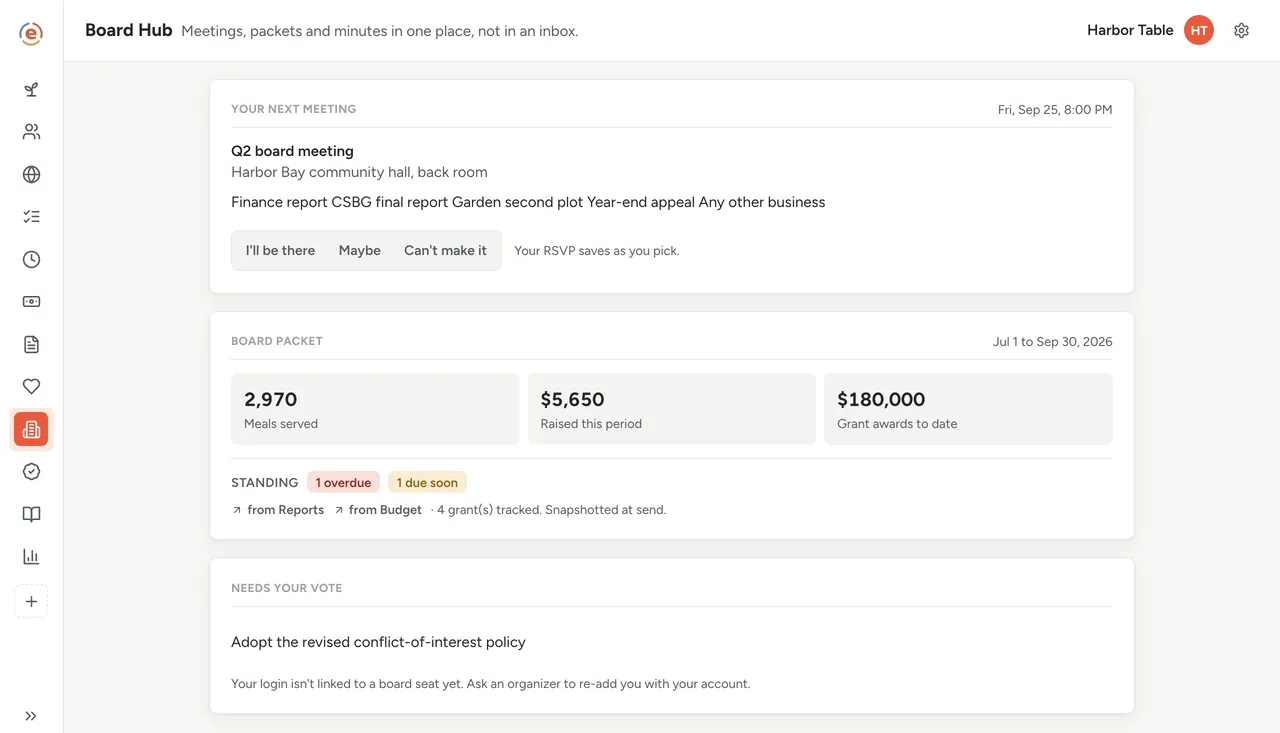
What a board member sees: one meeting, one packet, one vote waiting. Demo data. At the meeting: who came, what was decided
Mark each person present or absent, and from that point the count is the room rather than who said they would come. Add a motion, let each member vote from their own seat, and close it when the votes are in. If the room is short, Ember will not let you close it, which is the rule your bylaws already have.
Attendance recorded, one motion open, enough people in the room. Demo data. Minutes that count as the record
Write the minutes in the same place; they save as you type. Approving them only works if enough people were there, and the approval is logged with who did it and when. That is the record a funder or an auditor asks to see.
A draft while you write, one button to make it official. Demo data. The seats keep themselves honest
Every seat shows the officer role, when the term ends, and whether that person's conflict-of-interest statement for this year is in. Board members sign theirs on their own page in Ember. Tap Ask the others and Ember emails each member still outstanding who can sign in. What a board member owes the org is a short read to send along with it.
Who does what
If you are the executive director
You write the agenda and tap one button. The numbers arrive on their own. You know before the meeting whether you will have enough people to do official business, and the minutes are official without a second document.
If you are a board member
You sign in to one calm page: the next meeting, the packet, your vote. No attachments to find, no thread to scroll. You see each program's money overview, never a ledger line or a donor's name.
If you are the treasurer
The raised figure on the packet card comes from Budget: the money recorded as coming in this quarter. Raised and spent by program are in the Budget overview every board member can open. Your money slide is the overview.
- A board that meets a few times a year and wants numbers, not a slideshow.
- One person who has been assembling the packet by hand.
- Programs, money and grants that are already tracked in the same place, so the packet has something to snapshot.
- A wish to have minutes and motions that stand up as a record.
What it costs at this size
An org with a $320K budget sits in the Established band: $99 a month billed yearly, every app, unlimited users. Board members sign in as board members, at no per-seat cost, from the invitation the founding checklist sends. Under $50K a year it is $0. See every band.
Free templateBoard meeting agenda template
The agenda still comes from you. This one is built for a small board that has an hour.
This is general information, not legal or tax advice. Board rules vary by state, and so does what your bylaws can say. Tax questions turn on your own facts. Read your bylaws and your state's nonprofit act, and ask an attorney or CPA before you rely on any of it.
The Ember tool for this stepEmber Board Hub
Ember Board Hub keeps your meetings, packet, quorum, votes and minutes in one place. The packet builds itself from your own latest numbers. Unlimited users on every tier.
The Ember tool for this stepEmber Programs
Ember Programs gives each program its goals, its counts and a weekly reflection, and shows whether each goal is on pace. Unlimited users on every tier.
The Ember tool for this stepEmber Impact Reports
Ember Impact Reports gathers each program's counts, volunteer hours and spending from the Ember apps you already use, so nothing is typed twice. Unlimited users on every tier.
Sources: The org, people and figures on this page are an invented example; Ember has no customer data to report yet. Product behavior is described as built on 3 September 2026 and re-checked at each release. Governance points are general practice; see the disclaimer above.